Showing posts with label galaxy. Show all posts
Showing posts with label galaxy. Show all posts
Tuesday, January 23, 2018
How To Update Galaxy Y GT S5360 via OTA
How To Update Galaxy Y GT S5360 via OTA

How To Update Galaxy Y GT-S5360 via OTA
- First of all make sure you have stable internet connection (Wi-Fi or data network) on your device.
- Now, go to Android app drawer and then select Settings.
- Then locate About Device and tap on it.
- Next select Software update from About device screen.
- Then tap on Update option.
- You should see an update, press OK to download and install. (Remember, download using 3G or network data will incur additional charges to your phone bill!)
- Soon your device will reboot to complete the installation process.
How To Update Galaxy Y GT-S5360 via Kies
- Make sure you have stable internet connection on your computer.
- Now download and install Samsung Kies on your computer.
- Turn on your device (if it off) and then connect it to computer with USB cable.
- Run Samsung Kies and wait for it to detect your device.
- You should see a New Firmware Upgrade is available at Samsung Kies home screen.
- Press the Firmware Upgrade button to proceed.
- Follow on screen instruction and soon you will see your device running upgrade and reboot automatically. Once done, you can disconnect your device from computer.
[Note: You can install any firmware listed below despite availability in other countries, except those which comes with carrier name.]
* S5360XXMK1 Stock Firmware List Updated On February 13, 2014.
S5360XXMK1 Android 2.3.6 Gingerbread Firmware Downloads
Netherlands: S5360XXMK1_S5360VDPML1_VDP.zipItaly: S5360XXMK1_S5360ITVML1_ITV.zip
Netherlands: S5360XXMK1_S5360PHNML1_PHN.zip
Ireland (Meteor): S5360XXMK1_S5360METML1_MET.zip
Germany: S5360XXMK1_S5360DBTML1_DBT.zip
Kazakhstan (Kcell): S5360XXMK1_S5360KCLLL1_KCL.zip
Russia: S5360XXMK1_S5360SERMI1_SER.zip 0 via OTA
Get link for download

Saturday, January 6, 2018
How to setup kitkat 4 4 on Samsung Galaxy S GT I9000
How to setup kitkat 4 4 on Samsung Galaxy S GT I9000


kitkat 4.4 on Samsung Galaxy S GT-I9000
CyanogenMod is a free, community built, aftermarket firmware distribution of Android 4.4 (KitKat), which is designed to increase performance and reliability over stock Android for your device.
CyanogenMod is based on the Android Open Source Project with extra contributions from many people within the Android community. It can be used without any need to have any Google application installed. Linked below is a package that has come from another Android project that restore the Google parts. CyanogenMod does still include various hardware-specific code, which is also slowly being open-sourced anyway.
All the source code for CyanogenMod is available in the CyanogenMod Github repo. And if you would like to contribute to CyanogenMod, please visit out Gerrit Code Review. You can also view the Changelog for a full list of changes & features.
What are UNOFFICIAL builds? A version of CyanogenMod not compiled by CyanogenMods build servers and may contain code not yet committed to the repository. If you find bugs/issues you can/must discuss here (do not submit nightlies bug on CyanogenMod issue tracker).
All the source code for CyanogenMod is available in the CyanogenMod Github repo. And if you would like to contribute to CyanogenMod, please visit out Gerrit Code Review. You can also view the Changelog for a full list of changes & features.
What are UNOFFICIAL builds? A version of CyanogenMod not compiled by CyanogenMods build servers and may contain code not yet committed to the repository. If you find bugs/issues you can/must discuss here (do not submit nightlies bug on CyanogenMod issue tracker).
Downloads
Latest build: ROM Download
Google Apps: GApps Download
Installation
- First time flashing CM11 to your Galaxy S (or coming from another ROM)?
Root your device and install ClockworkMod Recovery.
Reboot into Recovery using 3-button-combo
Do a Nandroid backup!
WIPE (wipe data/factory reset + wipe cache partition)
Install the ROM from internal sdcard using ClockworkMod Recovery
Optionally install the Google Addon
- Upgrading from CM7/CM9?
Do a Nandroid Backup!
WIPE (wipe data/factory reset + wipe cache partition)
Install the ROM from internal sdcard using ClockworkMod Recovery
Optionally install the Google Addon
- Upgrading from CM10/10.1?
Do a Nandroid Backup!
Install the ROM from internal sdcard using ClockworkMod Recovery
You will finally see a "set_metadata_recursive" status 7 error. That is normal.
Reboot back into recovery (the reboot is required)
Install the ROM again from internal sdcard using ClockworkMod Recovery
Optionally restore /data from Nandroid Backup (the update will wipe your /data)
Optionally install the Google Addon
- Upgrading from CM10.2?
Do a Nandroid Backup!
Install the ROM from internal sdcard using ClockworkMod Recovery
Optionally install the Google Addon
- Upgrading from another build of CM11?
Do a Nandroid Backup!
Install the ROM from internal sdcard using ClockworkMod Recovery
Warning: You may get set_metadata_recursive related-errors during install if youre using a custom kernel without SELinux support. In that case, revert to the stock kernel before continuing or follow the instruction for upgrading from CM10.1.
Note: The partition layout of CM11 is the same as CM10.2.
Latest build: ROM Download
Google Apps: GApps Download
Installation
- First time flashing CM11 to your Galaxy S (or coming from another ROM)?
Root your device and install ClockworkMod Recovery.
Reboot into Recovery using 3-button-combo
Do a Nandroid backup!
WIPE (wipe data/factory reset + wipe cache partition)
Install the ROM from internal sdcard using ClockworkMod Recovery
Optionally install the Google Addon
- Upgrading from CM7/CM9?
Do a Nandroid Backup!
WIPE (wipe data/factory reset + wipe cache partition)
Install the ROM from internal sdcard using ClockworkMod Recovery
Optionally install the Google Addon
- Upgrading from CM10/10.1?
Do a Nandroid Backup!
Install the ROM from internal sdcard using ClockworkMod Recovery
You will finally see a "set_metadata_recursive" status 7 error. That is normal.
Reboot back into recovery (the reboot is required)
Install the ROM again from internal sdcard using ClockworkMod Recovery
Optionally restore /data from Nandroid Backup (the update will wipe your /data)
Optionally install the Google Addon
- Upgrading from CM10.2?
Do a Nandroid Backup!
Install the ROM from internal sdcard using ClockworkMod Recovery
Optionally install the Google Addon
- Upgrading from another build of CM11?
Do a Nandroid Backup!
Install the ROM from internal sdcard using ClockworkMod Recovery
Warning: You may get set_metadata_recursive related-errors during install if youre using a custom kernel without SELinux support. In that case, revert to the stock kernel before continuing or follow the instruction for upgrading from CM10.1.
Note: The partition layout of CM11 is the same as CM10.2.
Known Issues
Please do not report bugs if it is already listen in the list of known issues
Display issues in Browser & other embedded webviews (Google Chrome works fine)
No access to TV-Out menu
Layout issues in lockscreen
Menu soft-buttons appearing where they shouldnt
Some CyanogenMod features a missing - please do not file bug reports for those.
Privacy guard icon not disappearing when exited app
Broken layout of quick message popup (SMS)
Cannot set value via custom brightness "Edit" menu
Vibrate on answer call doesnt work properly
If back button is pressed during incoming call, you cant answer the call.
FC when entering file manager settings
FC when changing image sharpness
Flash CM10.2 from recovery (workaround: restore a 10.2 backup or flash a 10.2 kernel before flashing)
Reporting Bugs
You are allowed to report bugs only in this thread. Before reporting a bug, please make sure you are running as stock as possible. This means no custom kernel, no custom framework modification, etc. If you are using any of the above modifications, please flash the rom again to get rid of the modifications before reporting.
REPORT BUGS IN THIS THREAD ONLY
Grab a logcat right after the problem has occurred. (Please include at least a few pages of the log, not just the last few lines, unless you know what youre doing.)
If it is a random reboot, grab /proc/last_kmsg. (Do not bother getting a logcat unless you can get it just before the reboot. A logcat after a reboot is useless)
If the problem disappears after running "setenforce 0" from a root shell, grab /data/misc/audit/audit.log
Remember to provide as much info as possible. The more info you provide, the more likely that the bug will be solved. The following is a useful format to follow. Note: If you can provide the latest night/build that the bug didnt exist, it would greatly help in tracking down what caused it.
Please do not report bugs if it is already listen in the list of known issues
Display issues in Browser & other embedded webviews (Google Chrome works fine)
No access to TV-Out menu
Layout issues in lockscreen
Menu soft-buttons appearing where they shouldnt
Some CyanogenMod features a missing - please do not file bug reports for those.
Privacy guard icon not disappearing when exited app
Broken layout of quick message popup (SMS)
Cannot set value via custom brightness "Edit" menu
Vibrate on answer call doesnt work properly
If back button is pressed during incoming call, you cant answer the call.
FC when entering file manager settings
FC when changing image sharpness
Flash CM10.2 from recovery (workaround: restore a 10.2 backup or flash a 10.2 kernel before flashing)
Reporting Bugs
You are allowed to report bugs only in this thread. Before reporting a bug, please make sure you are running as stock as possible. This means no custom kernel, no custom framework modification, etc. If you are using any of the above modifications, please flash the rom again to get rid of the modifications before reporting.
REPORT BUGS IN THIS THREAD ONLY
Grab a logcat right after the problem has occurred. (Please include at least a few pages of the log, not just the last few lines, unless you know what youre doing.)
If it is a random reboot, grab /proc/last_kmsg. (Do not bother getting a logcat unless you can get it just before the reboot. A logcat after a reboot is useless)
If the problem disappears after running "setenforce 0" from a root shell, grab /data/misc/audit/audit.log
Remember to provide as much info as possible. The more info you provide, the more likely that the bug will be solved. The following is a useful format to follow. Note: If you can provide the latest night/build that the bug didnt exist, it would greatly help in tracking down what caused it.
Get link for download
Tuesday, November 7, 2017
Galaxy Defense Apk v1 0 7 1 0 7 Mod Free Download
Galaxy Defense Apk v1 0 7 1 0 7 Mod Free Download

Minigore 2 Zombies v1.15 Apk Mod (Mega Mod)
Requirements: 4.0.3 and up
Minigore 2 is a prize-winning action game starring Egoraptor! Dual-stick shooter work of art from the creators of Ice Rage, KingHunt as well as Bike Baron.
You should assist John Gore combat his way with warm lakes, graveyards and cold plains right into a stormy forest. The famous Metusalem has given birth to murderous cooks, gigantic lumberjacks, awesome penguins, a single moose and the whole undead army of the Cossack General.
ATTRIBUTES OF Minigore 2 Zombies Mega Mod :
- 300 SPECTACULAR OBSTACLES
- 20 PLAYABLE PERSONALITIES including guest superstars such as Bike Baron, Zombieville UNITED STATE and also Hook Champ!
- 60 DIFFERENT OPPONENTS
- 7 UNIQUE BOSSES
- COLLECT LOOT TO BUY UPGRADES & ITEMS IN THE MERCHANTS WAGON
- MELEE & VARIED combat with over 10 tools!
- COMPANION & MONSTER GAMEPLAY for every playable character
- PROCEDURAL COMPUTER ANIMATION brings zombie reactions to a whole brand-new degree
- PROPRIETARY ENGINE capable of showing 150 zombies on the display at the same time
- RANDOM PATTERNS guarantee the fights never really feel the very same
- CINEMATIC ILLUMINATION that looks wonderful on newest tools!
Whats New In Minigore 2 Zombies Modded Apk
- Eliminated support for external storage space as well as demand precise area to adhere to Google Play establishment policy.
- ADJUSTMENTS FROM PREVIOUS VARIATION:
- Native assistance for x86-based gadgets.
- Dealt with NVIDIA Cover stick accident insect.
Call of Mods :
- Endless Cash
- All tools opened and upgraded
- All characters unlocked as well as upgraded
- Level maxed out
This app has Google Mobile Ads advertisements
Play Store Link
Download Minigore 2 Zombies Modded Apk
https://userscloud.com/v50f3ar3ryer
Mirror:
http://www.tusfiles.net/6738oe25l1vv
http://ul.to/yf18rlmz
Get link for download
Monday, November 6, 2017
Galaxy S3 lockscreen Go Locker 1 0 apk
Galaxy S3 lockscreen Go Locker 1 0 apk


SGS3 Lockscreen!
Notice: Use this with GO locker!!!
With phone, camera, music and message icons.
Custom icons supported.
Custom icons supported.
You can choose your own wallpaper(Go Locker Settings Background Custom)
How to install GO Locker SGS Theme:
1. Make sure you have GO Launcher EX and GO Locker
2. GO Locker > My locker to choose the theme
3. OR in go launcher - Click MENU > Preferences > Theme Settings > GO Locker -> My locker to choose the SGS 3
1. Make sure you have GO Launcher EX and GO Locker
2. GO Locker > My locker to choose the theme
3. OR in go launcher - Click MENU > Preferences > Theme Settings > GO Locker -> My locker to choose the SGS 3
Tags: Galaxy s3, S3, galaxy s3 lockscreen, galaxy s3 theme, SGS3 Go Locker theme, nature ux, galaxy s3 lock, locker
Download Here: http://adf,ly/9fc5L
Mirror(Mediafire): http://adf,ly/9h8DOGet link for download
Tuesday, September 26, 2017
Android Devices Galaxy Nexus
Android Devices Galaxy Nexus

Galaxy Nexus from google™ is the most recent nexus expertise device and the very first phone to actually feature the most recent platform android 4.0, ice cream sandwich. it combines the very best from google and samsung, with possibly the most advanced software from google paired with cutting edge hardware from samsung.
Get link for download
Tuesday, August 15, 2017
Silk paints Galaxy Note
Silk paints Galaxy Note


Download : Apk ???? ???
*************************************************
Description
Get link for download
Wednesday, July 19, 2017
Galaxy S4 Balloon LWP HD v1 0 Android Live Wallpaper
Galaxy S4 Balloon LWP HD v1 0 Android Live Wallpaper

Galaxy S4 Balloon LWP HD v1.0
Galaxy S4 Balloon
The most beautiful live wallpaper inspired by the Galaxy S4!
A colorful hot air balloon flying over a blue sky.
This live wallpaper is magnificent from your phone looks similar to the galaxy s4 but animated!!
tag: galaxy s4 live wallpaper balloon hot air balloon colored balloon galaxy s3 live wallpaper galaxy s4 laive wallpaper htc one live wallpaper xperia z live wallpaper galaxy s4 lwp galaxy s4 lw hd

Galaxy S4 Balloon LWP HD
DOWNLOAD >>
Get link for download
Monday, June 5, 2017
Star Wars™ Galaxy of Heroes v0 7 199186 APK
Star Wars™ Galaxy of Heroes v0 7 199186 APK

Description:
Star Wars™: Galaxy of Heroes - Collect your favorite Star Wars characters, like Luke Skywalker, Han Solo, Darth Vader, and more, from every era – then conquer your opponents in epic, RPG-style combat. Build mighty teams and craft the best strategy to win battles across iconic locations to become the most legendary hologamer in the galaxy. You can also unlock new characters like Rey and Kylo Ren from Star Wars™: The Force Awakens™ and put them on your team!
CREATE YOUR ULTIMATE TEAM
Build powerful light and dark side teams with heroes and other characters from the Star Wars universe. Make strategic choices and pick characters with complimentary abilities to construct squads like never before!
COLLECT ICONIC HEROES
Collect characters from the original trilogy and prequel films, animated TV shows like Star Wars™: The Clone Wars™ and Star Wars Rebels™ – and even Star Wars: The Force Awakens!
CREATE YOUR ULTIMATE TEAM
Build powerful light and dark side teams with heroes and other characters from the Star Wars universe. Make strategic choices and pick characters with complimentary abilities to construct squads like never before!
COLLECT ICONIC HEROES
Collect characters from the original trilogy and prequel films, animated TV shows like Star Wars™: The Clone Wars™ and Star Wars Rebels™ – and even Star Wars: The Force Awakens!
TRAIN POWERFUL CHAMPIONS
Make tactical decisions and equip your heroes with powerful gear to enhance their damage. Unlock special leader abilities to buff your team and unleash moves like Darth Sidious’s Force Lightning, Chewbacca’s Wookiee Rage, and more.
Make tactical decisions and equip your heroes with powerful gear to enhance their damage. Unlock special leader abilities to buff your team and unleash moves like Darth Sidious’s Force Lightning, Chewbacca’s Wookiee Rage, and more.
MASTER THE STRATEGY
Feel the excitement of beating opponents in epic battles as you master the galactic hologames in a far off cantina. Heroes will need to upgrade their powerful attacks and unique abilities to take down other squads in Squad Cantina Battles and the PvP Squad Arena for galactic greatness. Create the ultimate strategy to collect and conquer.
FIGHT IN LEGENDARY LOCATIONS
Complete epic missions on Hoth, Bespin, Tatooine, Coruscant, and beyond. Unlock special characters to play through in light and dark side campaigns.
Feel the excitement of beating opponents in epic battles as you master the galactic hologames in a far off cantina. Heroes will need to upgrade their powerful attacks and unique abilities to take down other squads in Squad Cantina Battles and the PvP Squad Arena for galactic greatness. Create the ultimate strategy to collect and conquer.
FIGHT IN LEGENDARY LOCATIONS
Complete epic missions on Hoth, Bespin, Tatooine, Coruscant, and beyond. Unlock special characters to play through in light and dark side campaigns.
Visit www.starwarsgalaxyofheroes.com and follow @EAStarWars on Facebook, Twitter and Instagram for the latest news and updates.
Terms of Service: http://terms.ea.com
Privacy and Cookie Policy: http://privacy.ea.com
Game EULA: http://tos.ea.com/legalapp/mobileeula/US/en/OTHER/
Visit http://help.ea.com/en/star-wars-galaxy-heroes/star-wars-galaxy-heroes/ for assistance or inquiries.
EA may retire online features after 30 days’ notice posted on www.ea.com/1/service-updates.
- Screenshots
- Official Trailer
Download game Star Wars™: Galaxy of Heroes 
GOOGLE PLAY
DOWNLOAD APK v0.7.199186 [42.46 MB]
[ads-post]
How to install?
Star Wars™: Galaxy of Heroes: install APK and download data via app, and play the game!
Get link for download
Tuesday, May 16, 2017
Galaxy S3 Go Theme and Locker 3 3 apk
Galaxy S3 Go Theme and Locker 3 3 apk
Description
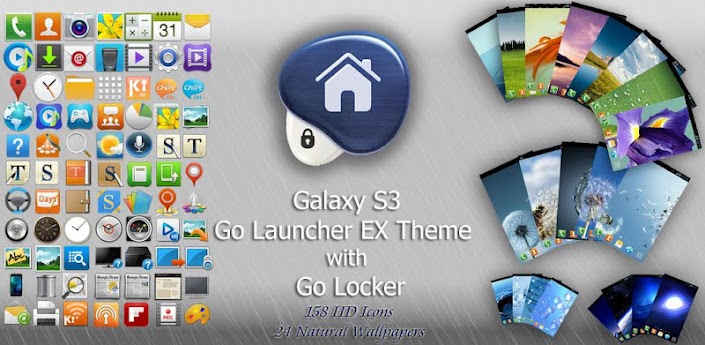
Try the New GS3 TouchWiz Nature UX Go Theme & Locker. The Sexiest Ever!
===This is a Theme for Go Launcher EX & Go Locker===
?Before Using:
1. You need to have:
The latest version of GO Launcher EX and Go Locker installed to access the theme.
(Search "GO Launcher EX" & "Go Locker" via Google Play Store to download)
?Choosing Wallpapers
1. In the homescreen of Go Launcher EX, press "Menu" key.
2. Then, press "Wallpaper"
3. Select "Go Wallpapers"
4. Choose your favorite wallpaper
?Features
1. New TouchWIz UX Nature Locker with 4 Shortcuts at the bottom.
( Work on all resolution )
2. 30+ HD TouchWiz UX Nature icons
3. 30+ HD TouchWiz 4 Galaxy S2 (i9100) icons
4. 30+ HD TouchWiz icons from Galaxy Note (N7000) ice-cream Sandwich
5. 25 Natural HD Wallpapers
6. Missed Call, Missed SMS, Alarm, Charging Notification icon in Lockscreen
7. App2SD (Allow to move apps to SD Card Memory)
?To Optimize this theme
?Description:
It is applicable to all phones and make your phones look like a TouchWiz UX Natural.
By installing this theme package, your phones LockScreen and Launcher will become TouchWiz UX Natural-Like, which is recently the hot phone Samsung Galaxy S 3 s launcher.
Make sure your Go Launcher EX to have the following TWO settings in order to get the same apperance of the screenshot above,
(A) Homescreen> MENU Key> Preferences> Visual settings> Icons> Uncheck Icon base
(B) Homescreen> MENU Key> Preferences> Visual settings> Icons> Icon size> Default size (small)
===This is a Theme for Go Launcher EX & Go Locker===
*****The Newly Realistic GS3 Galaxy S III TouchWiz Nature UX Theme for Go Launcher EX with Go Locker is here!*****
•••••This Theme is still in development, we will keep UPDATING and IMPROVING very frequenctly•••••
?Before Using:
1. You need to have:
The latest version of GO Launcher EX and Go Locker installed to access the theme.
(Search "GO Launcher EX" & "Go Locker" via Google Play Store to download)
2. To apply the theme within GO Launcher EX:
"Menu> Preferences> Theme>S3 Touchwiz 5 Go Launcher EX Theme>Apply"
(Attention: It will set your wallpaper to the selected theme’s wallpaper automatically.)
"Menu> Preferences> Theme>S3 Touchwiz 5 Go Launcher EX Theme>Apply"
(Attention: It will set your wallpaper to the selected theme’s wallpaper automatically.)
3. If icon on homescreen is not replaced by my themes icon, please replace the theme icon manually:
"Long Pressed the icon>Replace>Theme’s icon>S3 Touchwiz 5 Go Launcher EX Theme>locate the icon"
"Long Pressed the icon>Replace>Theme’s icon>S3 Touchwiz 5 Go Launcher EX Theme>locate the icon"
?Choosing Wallpapers
1. In the homescreen of Go Launcher EX, press "Menu" key.
2. Then, press "Wallpaper"
3. Select "Go Wallpapers"
4. Choose your favorite wallpaper
?Features
1. New TouchWIz UX Nature Locker with 4 Shortcuts at the bottom.
( Work on all resolution )
2. 30+ HD TouchWiz UX Nature icons
3. 30+ HD TouchWiz 4 Galaxy S2 (i9100) icons
4. 30+ HD TouchWiz icons from Galaxy Note (N7000) ice-cream Sandwich
5. 25 Natural HD Wallpapers
6. Missed Call, Missed SMS, Alarm, Charging Notification icon in Lockscreen
7. App2SD (Allow to move apps to SD Card Memory)
?To Optimize this theme
For better outlook, please follow the instruction below:
a) MENU>Preferences>Visual Settings>Icons>Icon Size>Default Size(Small)
b) MENU>Preferences>Visual Settings>Indicator>Indicator position>Bottom of screen
c) MENU>Preferences>Screen Setings>Grid Size>Tight (5x4)
d) MENU>Preferences>Visual Settings>Icons>Icon base>Uncheck icon base
a) MENU>Preferences>Visual Settings>Icons>Icon Size>Default Size(Small)
b) MENU>Preferences>Visual Settings>Indicator>Indicator position>Bottom of screen
c) MENU>Preferences>Screen Setings>Grid Size>Tight (5x4)
d) MENU>Preferences>Visual Settings>Icons>Icon base>Uncheck icon base
?Description:
It is applicable to all phones and make your phones look like a TouchWiz UX Natural.
By installing this theme package, your phones LockScreen and Launcher will become TouchWiz UX Natural-Like, which is recently the hot phone Samsung Galaxy S 3 s launcher.
?Rate this app:
Your feedback is vital to us to improve all of our themes. If you are not satisfied with this theme, please send us e-mail and we will improve it soon!
Your feedback is vital to us to improve all of our themes. If you are not satisfied with this theme, please send us e-mail and we will improve it soon!
?More themes are coming:
More themes are available soon, stay tuned!
More themes are available soon, stay tuned!
Download Here(Mediafire): http://adf,ly/A1OT6
PLEASE DONATE... EVEN $1 WILL BE HELPFUL
Get link for download
Friday, February 10, 2017
CARA MUDAH ROOT SAMSUNG GALAXY CORE DUOS GT I8262
CARA MUDAH ROOT SAMSUNG GALAXY CORE DUOS GT I8262
CARA MUDAH ROOT SAMSUNG GALAXY CORE DUOS GT-I8262-Hai sahabat Flick-art kali ini saya akan share tentang cara Root galaxy core
- Backup konten-konten penting di Galcore agan, seperti daftar kontak, SMS dan lain-lain ( buat jaga-jaga )
- Download Framaroot 1.5.3.apk iDisini
- Kalo udah dapet Framaroot-nya, silakan dicopy ke external sd-card di Galcore agan ( untuk agan yang download via PC ). Untuk yang download via Galcore, langsung ke step 5.
- Dari File Manager, cari Framaroot 1.5.3.apk dan jalankan.
- Tampil option “Select an action to execute after root”
Ada 3 pilihan, ”Install Superuser, Install SuperSu dan Unroot”. Pilih salah satu diantara ”install Superuser” atau”install SuperSU” sesuai selera agan. - Dibawahnya ada option “Select an exploit in list above to potentially root your device” pilih “Gandalf“
- Proses rooting dimulai, jika berhasil akan ada notifikasi bahwa Galcore agan udah sukses di root.

9. Reboot Galcore agan dan silakan dicek apakah icon Superuser sudah muncul.
10. Selamat, Galcore agan sudah berhasil di root.
Untuk memastikan, agan bisa cek pake aplikasi Root Checker yang tersedia di Playstore.
Untuk memastikan, agan bisa cek pake aplikasi Root Checker yang tersedia di Playstore.
Get link for download
Thursday, January 19, 2017
Jellybean 4 1 2 Rom for Samsung Galaxy Note N7000
Jellybean 4 1 2 Rom for Samsung Galaxy Note N7000

Recently Google released latest Android version 4.1.2 Jelly Bean. Don’t know exactly when Samsung Galaxy Note will get this update. It will take some time. By that time, you can install it through the custom ROMs.
This latest Android 4.1.2 Jelly Bean is now available for Samsung Galaxy Note N7000. Along with official Jelly Bean features, will give you a unique experience for your mobile.
Lets have a look at the some features jellybean 4.1.2:
- Customizable Lockscreen ring targets.
- Alternate default app picker.
- RAM bar in the recents panel.
- Menu UI Overflow Toggle.
- Timeout and instant lock options for Slide lock
Further reading will tell you about how to flash this custom ROM on Samsung Galaxy Note N7000.
Disclaimer: The steps mentioned in the following article are considered as risky and may cause damage to your mobile. If you are not familiar with these things it isrequested that you shouldnt follow these process. Read the article at your own risk. If any damage is caused to your mobile we will not be held responsible for it.

The given tutorial is strictly intended for Samsung Galaxy Note N7000. Applying these steps to any other models or US variant will give you unwanted results.
Pre-requisites:
- You should charge your device at least up to 70% so that installationprocess won’t get interrupted.
- It is recommended that you should take a backup of all your important data such as SMS, MMS, APN, contacts etc. to the external memory since it gets vanished during installation.
- You must have installed Clockworkmod recovery or TWRP recovery on your mobile. Without any custom recovery you can’t falsh ROM.
Procedure to install Android 4.1.2 Jelly Bean on Samsung Galaxy Note N7000:
- first download Android 4.1.2 Jelly Bean for Note N7000.
- (Click here to download.)
- Also download Gapps package for your mobile.
- (Get link for download
Tuesday, January 10, 2017
S Launcher Galaxy S5 Launcher Prime v3 0 Apk Full
S Launcher Galaxy S5 Launcher Prime v3 0 Apk Full
S Launcher (Galaxy S5 Launcher) Prime v3.0 Apk Full
%2BPrime.png "S Launcher (Galaxy S5 Launcher) Prime v3.0 Apk Full") |
| S Launcher (Galaxy S5 Launcher) Prime v3.0 Apk Full |
??????????????~Apps Information~??????????????
Developer: KK App Team
Platform: Android
Version: v3.0
License: Full Version/Crack/Patched
File Size: 2.7 MB
Language: English
Google Play Store Link: S Launcher
Google Play Store Link: S Launcher
????????Apps Description????????
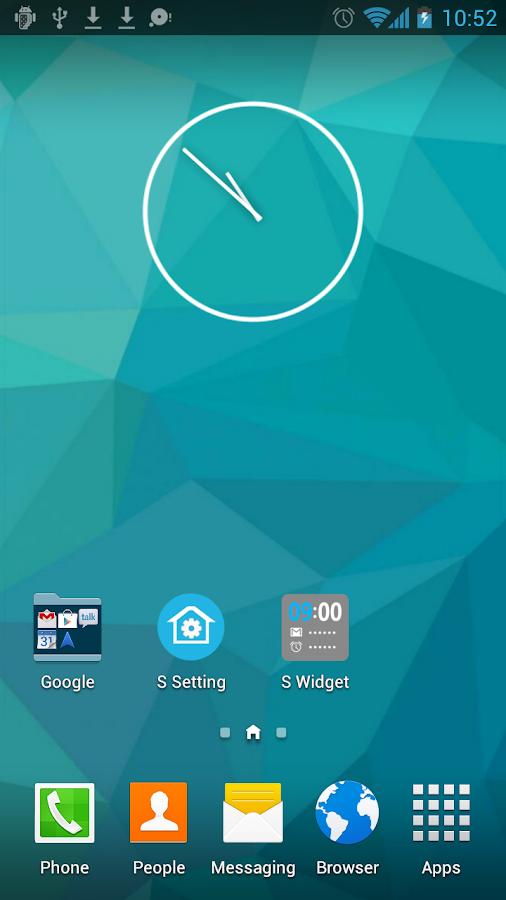
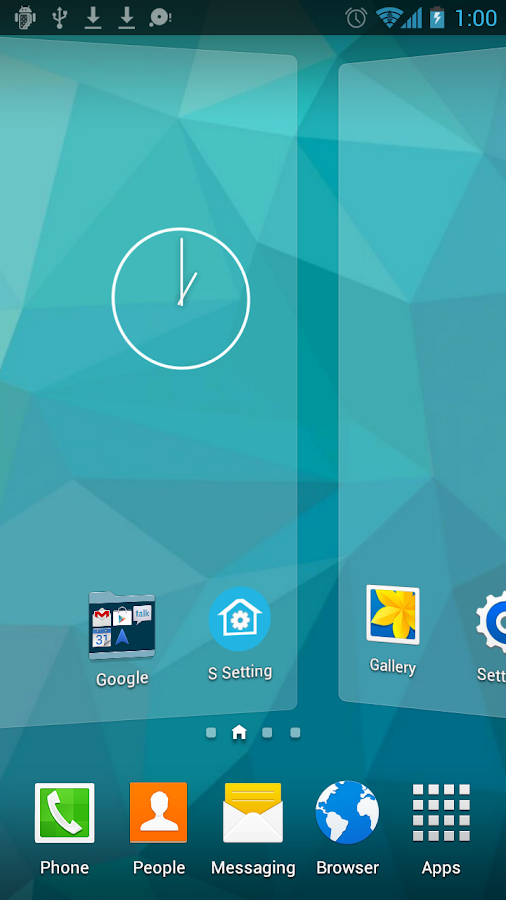
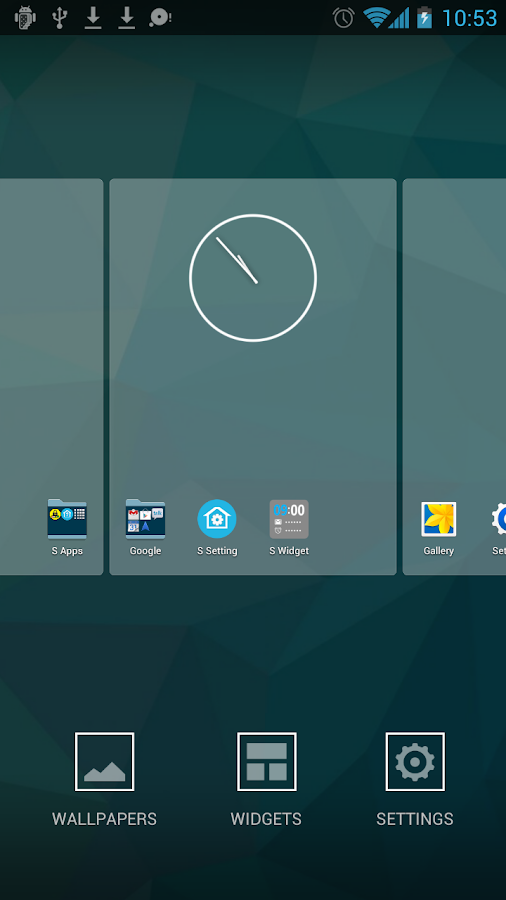
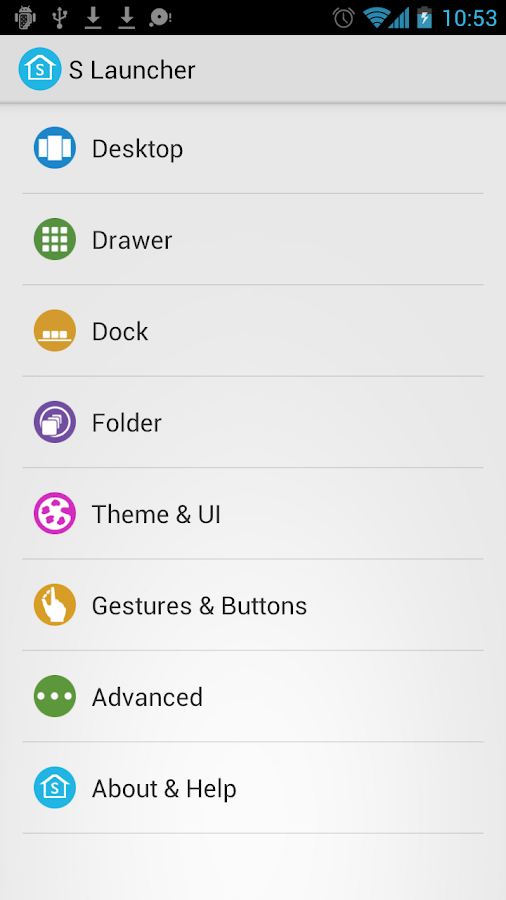
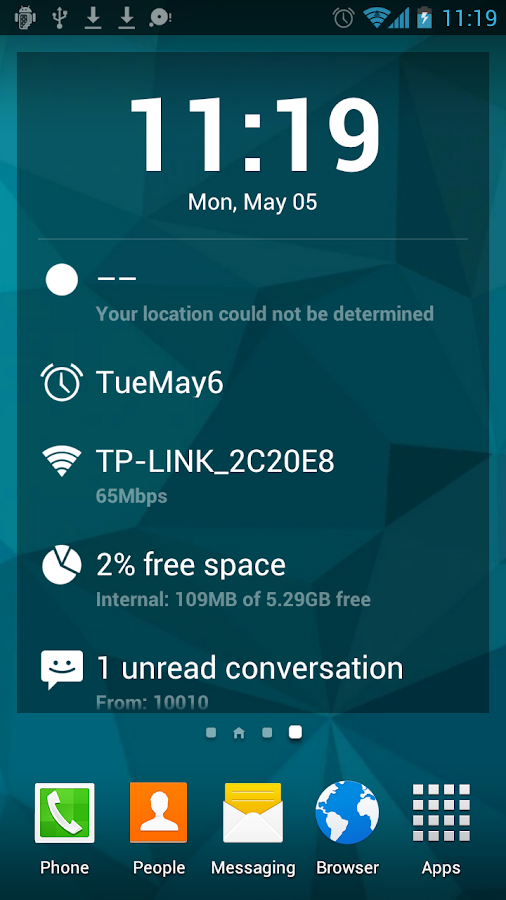
S Launcher, is the most polished, highly customizable Galaxy S5 style (TouchWiz style) launcher, Smooth, Rich features, NO AD.????????Apps Features????????
?Support icon theme, compatible with themes for nova launcher, adw launcher, go launcher, apex launcher, etc
?Translucent status bar and navigation bar (Android4.4 devices, and Galaxy S4, Galaxy Note2/3, Tab2/3 ,etc )?Support edit icon
?Galaxy S5 TouchWiz Launcher scrolling effect
?Menu options in app drawer, support drawer app sorting
?Resize any widget
?Backup and restore launcher setting and layout
?Import layout from other launcher
?Highly customizable, MANY options:
?Launcher Desktop:
- Set desktop grid
- Set icon text size, color; hide icon text
- Lock launcher desktop option
- Hide search bar, status bar
- Hide shadow, indicator
- Infinite scrolling
- Set launcher default Home Screen to Left, Middle or Right
- Wallpaper scrolling
- Theme support: such as Galaxy, iOS 7, Win 8 iconpack
?Launcher Dock:
- Multi Dock pages
- Number of Dock icons
- Hide Dock
- Drawer icon position setting
?Launcher Drawer :
- Set launcher drawer grid
- Set icon text size, color; hide icon text
- Reset drawer position
- Background transparent
?Launcher Folder :
- Galaxy S5 Launcher folder with 2x3 grid
- Max rows and columns
- Folder background option
- Folder preview style
- Icon label size/color option for folder apps
?This is Ad free version
????????Whats New In This Version????????
S Launcher (Galaxy S5 Launcher) Prime v3.0 Apk Full (Updated - January 8, 2015)
?Optimize sidebar UI
?Optimize drawer grid size?Optimize theme store
?Optimize TouchWiz transition animation for desktop
?Better icon pack support
?Fix bug: brightness adjust bar may dissapear for Samsung S4,S5, Note3 etc
?Fix Flashlight can not turn off in rare cases
?Fix one airplane mode bug
?Fix icons on Dock may disorder
?Fix widgets page layout bug
?Other optimization, bugs fix
????????Installation Information????????
?Install Apk file,
?Enjoy This Release!!
Note: This program is evaluation purpose only. Software worth using is worth buying.. keep this in mind! If you like this program buy it & support developer because they deserve it. Apps Apk World is not responsible of any misuse or any unauthorized uses of this program.
? ? ??????System Requirements????????
?Requires Android 4.0 and up
? ? ??????Apps Screenshot????????


Download S Launcher (Galaxy S5 Launcher) Prime v3.0 Apk
From
Direct Download Link (Multiple Link Facilities)

How to Download? How to Download?
How to Download?Having Problem to Download? Click Here
Download Mac, iPhone, iPad, iPod Software form Apple Support World
Have Your Kind Attention Here: Your opinion is valuable to us. If you face any problem or find any broken links to download your desired things or if you have any suggestion about anythings please write in Help & Suggestion Page. Which will help you to provide better service. Thank You.
Get link for download
Subscribe to:
Posts (Atom)